

Bike computers are useful for riders who want clearer ride data, easier navigation or a more convenient way to keep track of distance and pace. They can be as simple as a compact display for core trip information or as involved as a feature-rich unit with mapping and sensor support.
The right choice depends on how you ride, what you want to see at a glance and whether you need extras such as route guidance, phone pairing or training data. It also helps to think about mounting, screen readability and how much setup you are comfortable with.
Because the category covers several styles of device, the best starting point is to decide which information matters most and how much complexity you want to manage on the handlebars.
Compare Bike Computers


As an Amazon Associate we earn from qualifying purchases.
What should you look for in a bike computer?
The most suitable bike computer is usually the one that matches your riding style, your need for data and your tolerance for setup. A simple unit may be enough if you only want speed, distance and time, while a more advanced device may suit riders who follow routes, train with sensors or want a larger screen.
The main trade-off is usually simplicity versus features. More functions can be helpful, but they may also mean more menus, more pairing steps and more to learn. Specifications vary by model, so always check the individual product page before buying.
| Feature | What it means | Why it matters | What to check |
|---|---|---|---|
| Display | The screen used to show ride information | Affects how easily you can read data while riding | Size, clarity and whether the layout suits your eyesight and riding position |
| Ride data | The measurements the unit can show and record | Determines whether it covers basic tracking or more detailed analysis | Which metrics are included and whether you need extra sensors for some of them |
| Navigation | Route guidance and map-related functions | Useful for unfamiliar roads, touring or following planned routes | Whether it supports turn-by-turn guidance, route loading or mapping features |
| Connectivity | How the device pairs with phones, sensors or other accessories | Influences setup, syncing and compatibility with your wider kit | Which connections are supported and what accessories are required |
| Battery life | How long the unit can run between charges or replacements | Important for long rides and regular use | How long the manufacturer says it lasts under typical use |
| Mounting | How the computer attaches to the bike | Affects stability, visibility and convenience | What mount is included or required and whether it suits your handlebar setup |
Key decision criteria
1. The kind of riding you do
Commuters, leisure riders, touring cyclists and training-focused riders often want different things from the same category. If you only need basic trip information, a straightforward computer may be easier to live with than a navigation-heavy model. If you ride unfamiliar routes, spend more time on longer outings or follow training plans, extra functions may be worth the added setup.
2. Screen readability
Being able to glance down quickly matters more than a long feature list. Consider screen size, contrast and how busy the display looks when several fields are shown at once. A simpler screen can be easier to read in motion, while a larger display may help if you prefer more information in view.
3. Data and sensor support
Some riders only want speed, distance and elapsed time, while others want cadence, heart rate or more detailed training information. If you plan to use sensors, check whether the computer supports the ones you already own or intend to buy. Do not assume every device includes the same sensor support as another in the same category.
4. Navigation needs
If you already know your routes, navigation may be unnecessary. If you often explore, travel or follow saved routes, it can be one of the most valuable features. The important question is whether you need simple turn prompts or a more complete mapping experience.
5. Power and charging
Battery expectations vary widely by model and by how the device is used. A computer with advanced navigation or a brighter display may need charging more often than a basic unit. For buyers who ride for long periods or multiple days, battery behaviour should be checked carefully.
Common types and variants
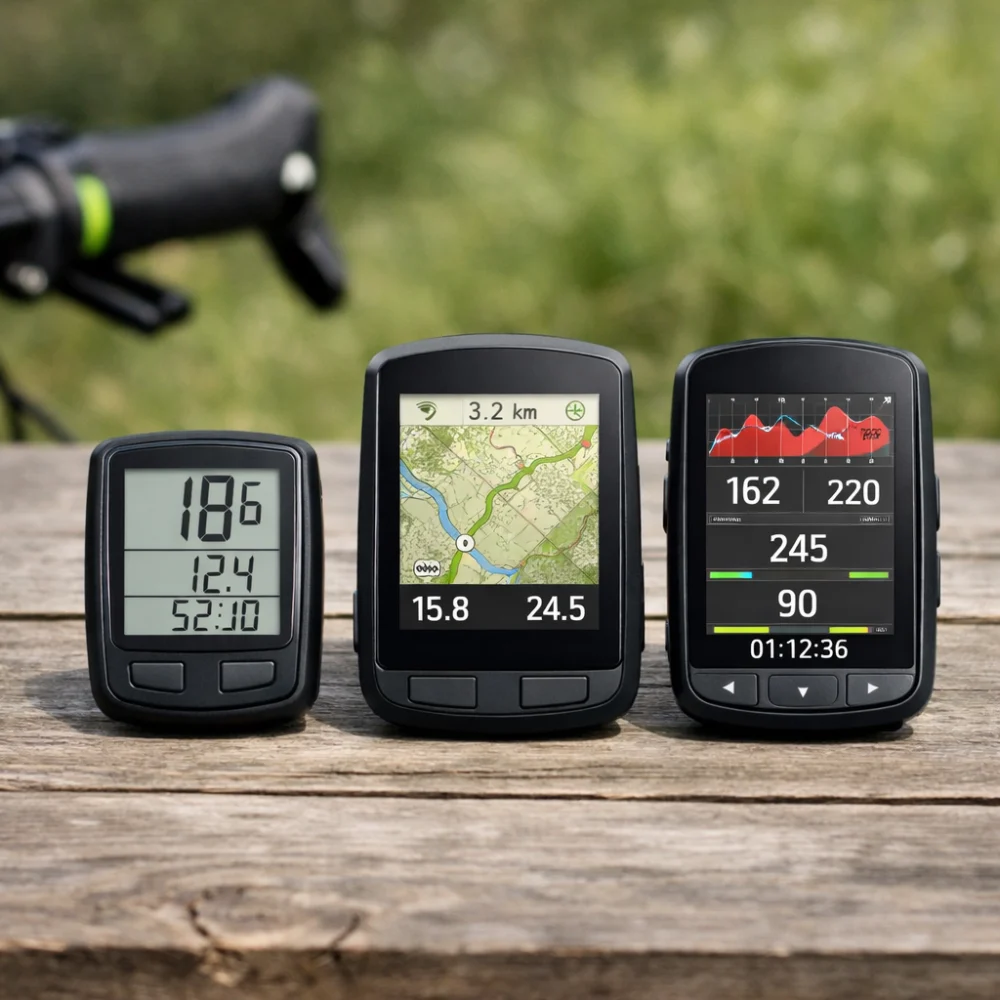
Bike computers are usually easiest to think about by feature level rather than by a rigid product type. That can include basic ride computers, GPS-focused units and more advanced training or navigation devices.
- Basic ride computers: suited to riders who mainly want speed, distance and time without much setup.
- GPS-enabled computers: useful for route following and ride recording, especially if you ride in unfamiliar places.
- Training-focused computers: better for riders who care about more detailed metrics and sensor pairing.
- Navigation-oriented computers: helpful if route guidance is a priority and you want more on-screen direction support.
The right variant is usually the one that matches your routine, not the one with the longest feature list.
Which bike computer suits which rider?
| Buyer need | Features to prioritise | Main trade-off |
|---|---|---|
| Casual riding | Simple display, easy mounting, basic ride totals | Fewer advanced features |
| Commuting | Readable screen, quick access to key data, reliable mounting | May not include rich navigation or training tools |
| Touring or route following | Navigation support, good battery behaviour, clear screen | More setup and more on-device functions |
| Training and performance tracking | Sensor support, custom data fields, syncing options | Can be more complex to configure |
| Gift buying | Simple controls, broad compatibility, easy-to-understand features | The recipient may want a different level of complexity |
Common mistakes and misunderstandings
- Choosing too much device for the job: a feature-rich unit is not always better if you only need basic ride information.
- Overlooking compatibility: sensor and accessory support can differ, so check the details rather than assuming fit across brands or models.
- Ignoring the display: a long list of functions is less useful if the screen is hard to read where and how you ride.
- Forgetting about setup: some computers are straightforward, while others need more pairing and configuration before they feel useful.
- Focusing only on battery life: battery matters, but so do the features that cause the device to be used more intensively.
Safety and suitability caveats
A bike computer should support your riding, not distract from it. If you plan to use navigation or live data while riding, think about whether the interface will remain easy to read and simple to use on the move. It is also sensible to check mounting and positioning so the device sits securely and does not interfere with normal control of the bike.
For any model, check the product page for the exact supported features, included accessories and any setup requirements before relying on it for a particular ride.
Maintenance, storage and lifespan considerations
General care is usually simple, but it still affects value. Keep the unit clean and dry as appropriate for the model, store it safely when not in use and make sure charging or battery replacement needs fit your routine. If the computer relies on a mount or external sensors, those accessories may also need attention over time.
Some riders replace a computer because their needs change rather than because the device has failed. A simpler model may last a long time for basic use, while a more complex one can become less suitable if your riding style changes.
How to compare options efficiently
- Start with the kind of riding you actually do most often.
- Decide whether you need only basic ride data or also navigation and sensor support.
- Compare the screen, mounting and power expectations.
- Check the compatibility details for any accessories you plan to use.
- Read the individual product page carefully before deciding.
Summary buyer decision checklist
- Do I need basic ride tracking or more advanced navigation and data?
- Will I be able to read the screen easily while riding?
- Does it suit my route style, such as commuting, touring or training?
- Are the sensor and accessory options relevant to my setup?
- Is the mounting method appropriate for my bike and handlebar space?
- Do the charging or battery expectations fit how often I ride?
Frequently asked questions
Do I need GPS in a bike computer?
Not always. If you mainly want speed, distance and time, a non-GPS model may be enough. GPS becomes more useful when you want route recording, navigation or broader ride tracking.
Can a bike computer work without sensors?
Many can, depending on the model. Some use built-in functions for basic ride information, while others need external sensors for certain metrics. Check the product details if you want cadence, heart rate or other extra data.
Is a bigger screen always better?
Not necessarily. A larger screen can be easier to read, but it may also feel bulkier or show more information than you actually need. The better choice is the one that balances readability with the way you prefer to ride.
What matters more: features or ease of use?
That depends on how you ride. If you want quick, glanceable information, ease of use may matter most. If you rely on navigation or training data, the extra features may be worth the added complexity.
Are all bike computer mounts the same?
No. Mounting systems can vary, and that affects fit, stability and handlebar space. It is worth checking what is included and whether any additional mount or adapter is needed for your bike.
How do I know which bike computer is right for commuting?
Look for a model that is easy to read, quick to start using and not too complicated to handle in everyday use. Commuters often benefit from simple ride data, reliable mounting and battery behaviour that fits regular trips.
More Bike Computers
See all 81 Bike Computers →


As an Amazon Associate we earn from qualifying purchases.